Generate AI images & videosAI images / video

Try it now →Try ↗

DescribePicture · Photo analysis

AI Attractiveness Test

How attractive am I in this photo? Take a free AI attractiveness test for a 1–10 score, illustrated measurements, and tips for your next portrait.

Portrait analysis

Analysis mode

How we handle your photo

What the test shows

How the AI Attractiveness Test works

Upload one clear portrait with a single face. The AI face rating summarizes how visible features appear in that image, and the browser uses facial landmarks to calculate measurements. Start with Free Analysis to see the score and three illustrated readings. Complete Analysis adds a closer look at the face and how the photo was taken.

Free result · Sample
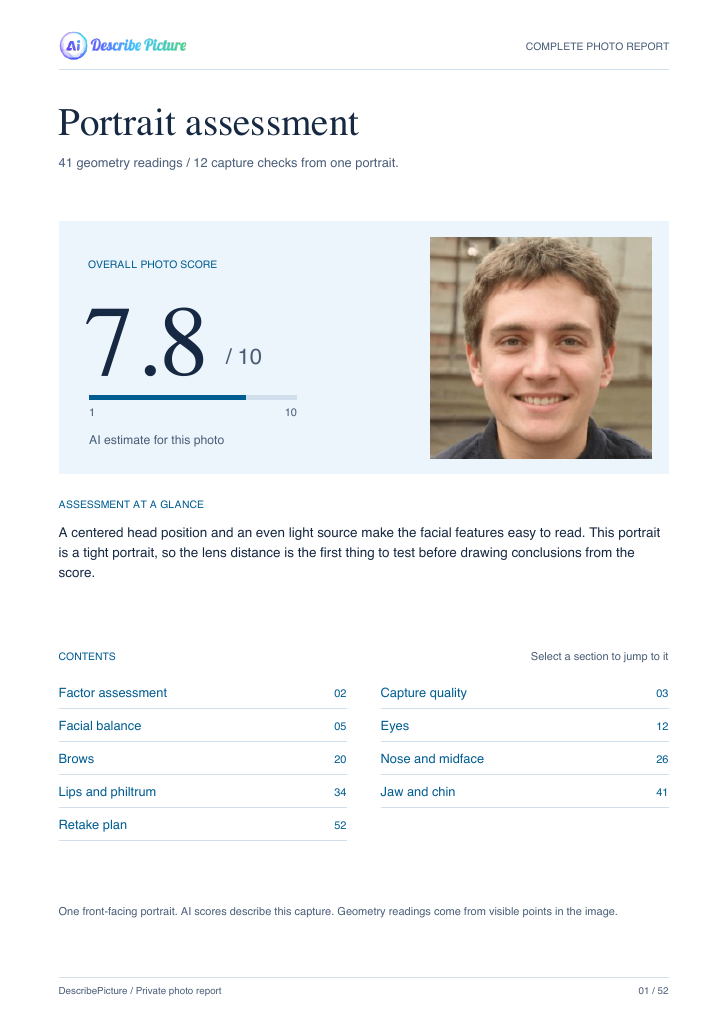
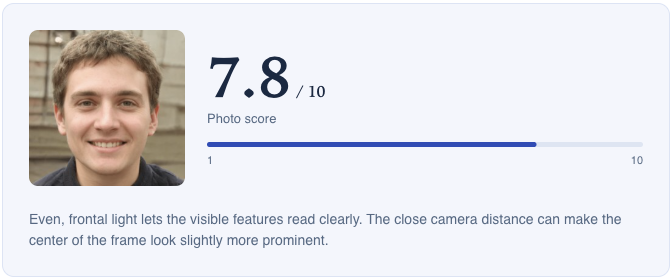
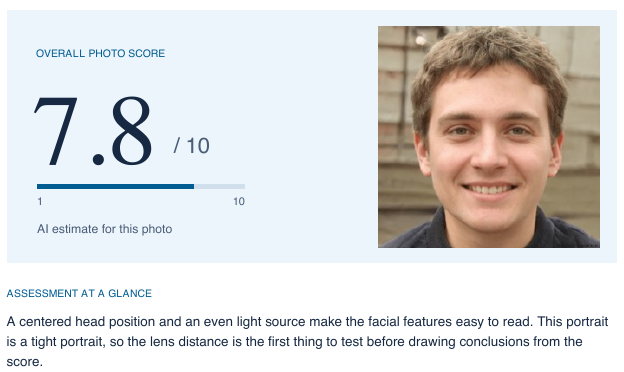
7.8 / 10 Overall photo score

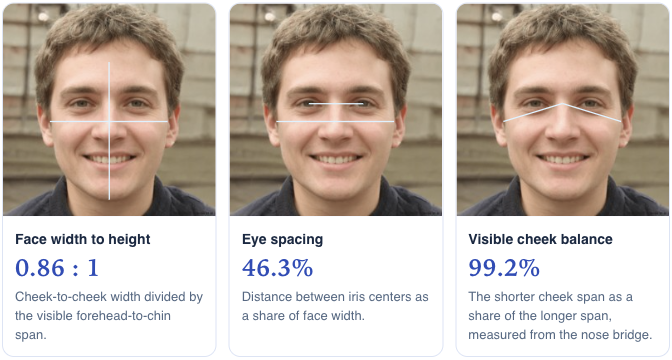
Width and height lines drawn across the sample portrait.

Width to height

0.86 : 1
Two horizontal lines mark iris spacing and face width.

Iris spacing

46.3%
Two lines connect the nose bridge to the visible edges of the cheeks.

Cheek balance

99.2%

Get a free face rating and three measurements

Read four observations about facial harmony, visible symmetry, feature definition, and photo quality. The three illustrations show face proportions, iris spacing, and visible cheek balance. Use the marked lines to see which points each measurement connects.

Geometry · Sample
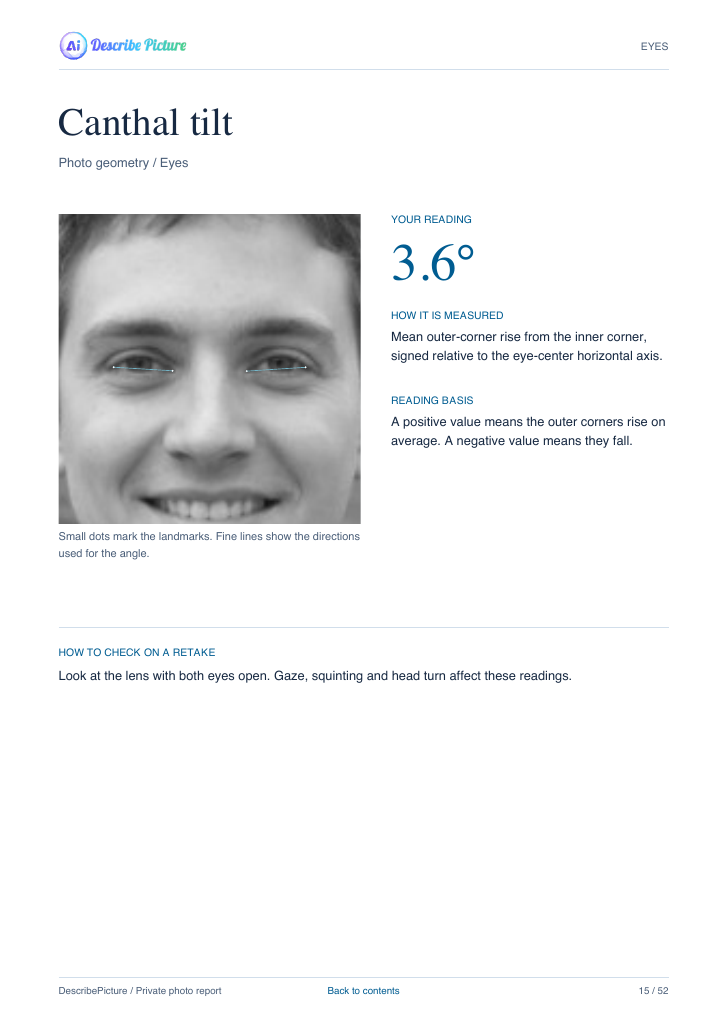
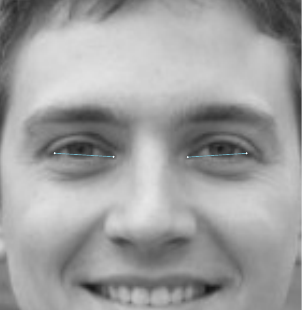
Detail from the report showing dots and lines at the inner and outer eye corners
3.6°

Eye angle
Average outer-corner rise from the inner corners.

  • Facial balance
  • Eyes
  • Brows
  • Nose & midface
  • Lips & philtrum
  • Jaw & chin

See where each reading comes from

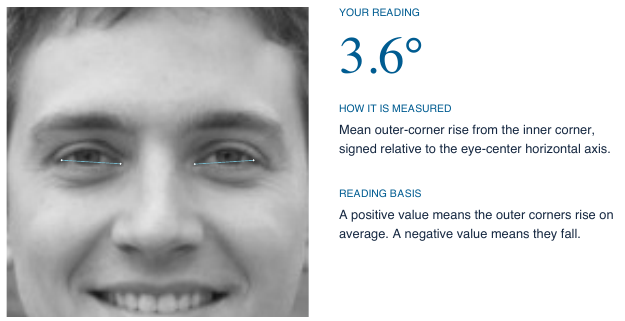
In Complete Analysis, the AI attractiveness test groups measurements into six facial regions. Open a region to see its readings and how to interpret them. For example, the eye angle shows how much the line from the inner to the outer corner tilts. Measurements depend on which landmarks are visible in the photo.

Capture quality · Sample
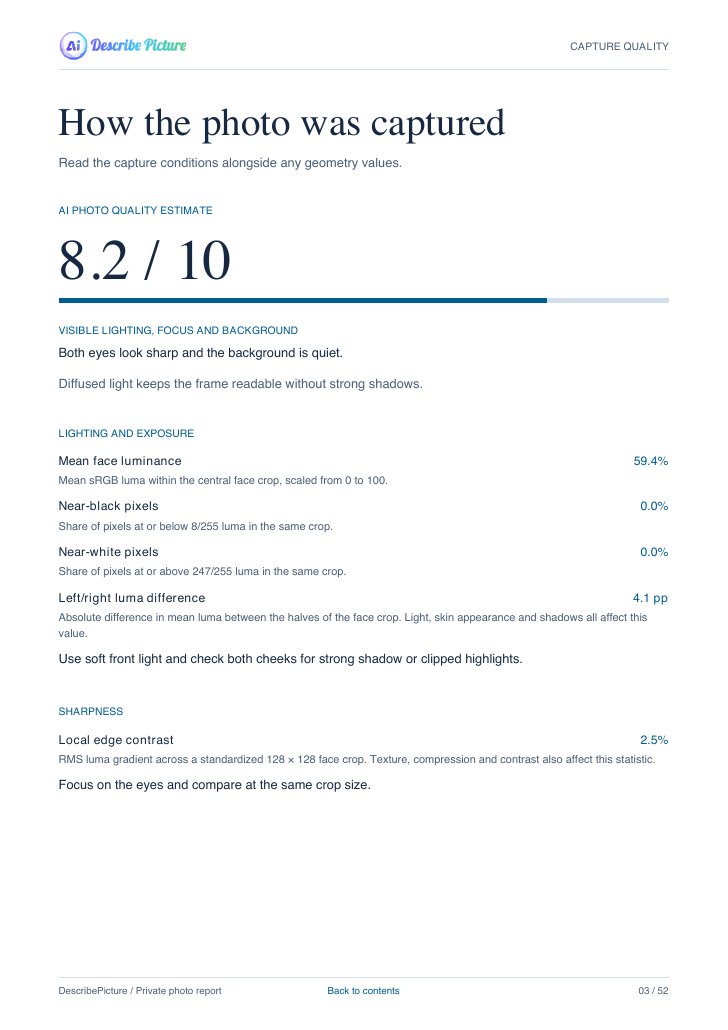
Actual capture-quality report excerpt showing a photo quality estimate of 8.2 out of 10
Light · mean face luminance
59.4%
Sharpness · local edge contrast
2.5%
Framing · face width
55.3%
Position · off-frontal angle
2.0°

First retake stepSet the camera at eye level and step back one pace.

Know what to change on a retake

Use the capture checks to decide what to change first. Lighting and sharpness help you see whether shadows or blur hide details. Framing and head position show how much of the image the face fills and how directly it faces the camera. The retake plan gives you changes to try on the next shot.

Compare sample results

Free Analysis vs Complete Analysis

Both examples show the same AI attractiveness test score of 7.8/10 for one portrait. Compare what each report shows, including the measurements and retake plan in the Complete Analysis PDF.

Free Analysis

Overall score, four observations and three measurements.

Original sample portrait
7.8 / 10
Overall photo score

Four observations

Facial harmony
7.6 / 10
Visible symmetry
7.2 / 10
Feature definition
7.1 / 10
Photo quality
8.2 / 10

Three photo measurements

Face width to height
0.86 : 1
Iris spacing as a share of face width
46.3%
Visible cheek balance
99.2%

Complete Analysis

Everything in Free Analysis, with a more detailed report.

Original sample portrait
7.8 / 10
Overall photo score

What the complete report adds

  • 41 available geometry readings across six facial regions, with landmark illustrations.
  • 12 capture-quality readings for light, sharpness, framing and head position.
  • Three retake steps based on what the camera captured.
  • Downloadable PDF with measurements and capture notes.

Sample readings
Eye angle 3.6° · Mean face luminance 59.4%
Framing face width 55.3% · Off-frontal angle 2.0°

Complete report preview

Open the actual sample PDF

This 52-page PDF shows what Complete Analysis adds to the AI attractiveness test, including annotated measurements, capture checks and a retake plan. Report length varies with the readings available for each photo.

Complete report cover showing the portrait and its 7.8 out of 10 score
Report coverSame portrait, 7.8/10
Eye angle page with a landmark overlay and a reading of 3.6 degrees
Eye angle3.6° · Page 15
Capture-quality page with lighting, exposure and sharpness measurements
Capture quality59.4% face luminance

Photo guide

Which photo should I upload?

For the clearest measurements in the AI attractiveness test, choose a front-facing portrait with both eyes visible.

Clear, front-facing portrait with both eyes visible in even light
Use this

Clear, evenly lit front view

The same portrait with simulated blur obscuring the eyes and facial details
Retake

Blurry face

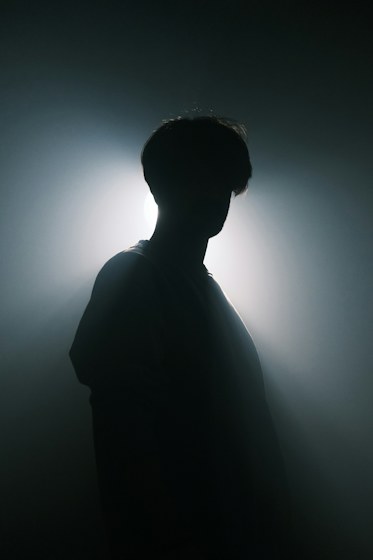
Bright light behind a person leaves their face in shadow
Retake

Strong backlight

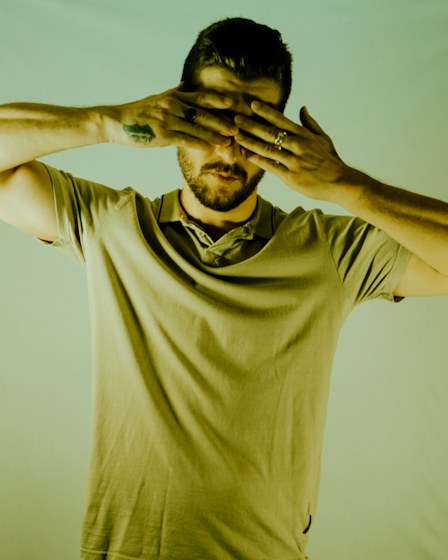
A man covers both eyes with his hands
Retake

Eyes covered

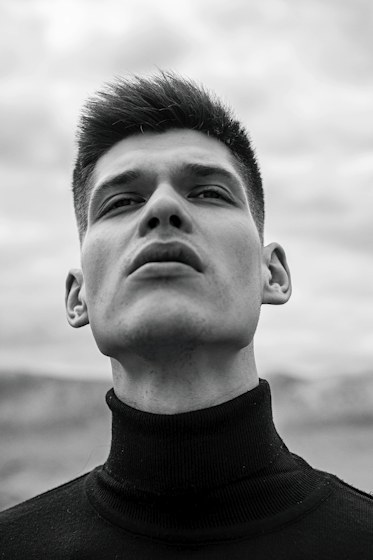
A portrait taken from below eye level emphasizes the chin and jaw
Retake

Camera too low

How to read your AI attractiveness test report

Sample report to read
Free result excerpt with the photo score outlined beside the sample portrait.

Photo score 7.8/10

The highlighted number is the AI’s estimate for this photo. A retake in different light or from another angle can change the score.

Free photo measurements excerpt highlighting the middle card and its two eye-spacing reference lines.

Eye spacing 46.3%

The short line connects the iris centers. The longer line marks the face width. The short line spans 46.3% of the longer one.

PDF cover excerpt with the photo score highlighted and the assessment paragraph below the portrait.

PDF cover score 7.8/10

The cover gives an AI estimate for the same photo, for entertainment. Assessment at a glance points out tight framing and suggests trying a different camera distance.

Page 15 excerpt highlighting the 3.6 degree measurement and the lines connecting the eye corners.

Eye angle 3.6°

On page 15, Your reading comes from the marked eye corners. A positive angle means the outer corners sit higher than the inner corners on average.

What your 1–10 face rating means

Read the AI face rating alongside the observations for that photo. The number gives you a starting point. The comments explain what the model saw in the visible features and how lighting, expression, or framing might have affected the result. The overlay shows the landmarks used for a specific measurement.

To compare two portraits, keep the lighting and pose similar and change one thing at a time. If the first report mentions a tight crop, try a little more camera distance and check whether the second report describes the framing differently.

Attractiveness Test vs. PSL Scale

The AI attractiveness test gives one photo a 1–10 score and pairs it with illustrated measurements and tips for your next shot. Use it to understand how a specific portrait came across.

The PSL Scale Test (0–8) uses its own scoring criteria and tier chart. Check the observations and scale labels within each report. A 7 on one scale represents a different result from a 7 on the other.

What happens to your photo?

How we process your upload

Original photo
We don’t save it
Prepared image
Sent to Vertex AI for scoring
Report data
Saved so you can reopen your report

The AI attractiveness test measures facial geometry in your browser. When you reopen a report, you can see the saved analysis and readings.

Frequently asked questions

What does the score measure?

The AI attractiveness test estimates how facial features appear in the submitted photo. Facial harmony, visible symmetry, feature definition and photo quality are separate observations. Geometry readings come from visible points in the image.

Can I rate my face for free?

Yes. The free AI attractiveness test gives you a 1–10 score, four observations and three illustrated measurements when the face can be measured. You can analyze another portrait in the same browser session or account.

How do upgrades and credits work?

You can choose Complete Analysis before submitting a photo or upgrade a completed Free Analysis. The tool displays the current credit price. A completed upgrade uses the score from the free result.

When can I download the complete PDF?

Download the PDF after Complete Analysis is ready. While the original photo is available in the analysis session, the downloaded report can include photo overlays.

What can I recover after closing the session?

The same verified account or browser session can reopen the saved report. A recovered PDF includes the saved text and measurements. Download during the analysis session to keep the image overlays.

Can I use the test to rate my looks across different photos?

Yes. The attractiveness test gives a separate estimate for each photo. If two results differ, check the observations for changes in camera distance, lighting or expression. Comparing photos taken under similar conditions makes those differences easier to interpret.

How is this different from a PSL rating?

The AI attractiveness test uses a 1–10 photo estimate. The separate PSL Scale Test uses a 0–8 scale with its own scoring criteria and tier chart.

Try the AI attractiveness test

Back to the test

Get more credits

Choose a plan, then sign in to purchase.

Choose a plan